Qt Creator
Qt Creator 是一个自由、开源的 IDE,适用于所有桌面平台。
导入项目
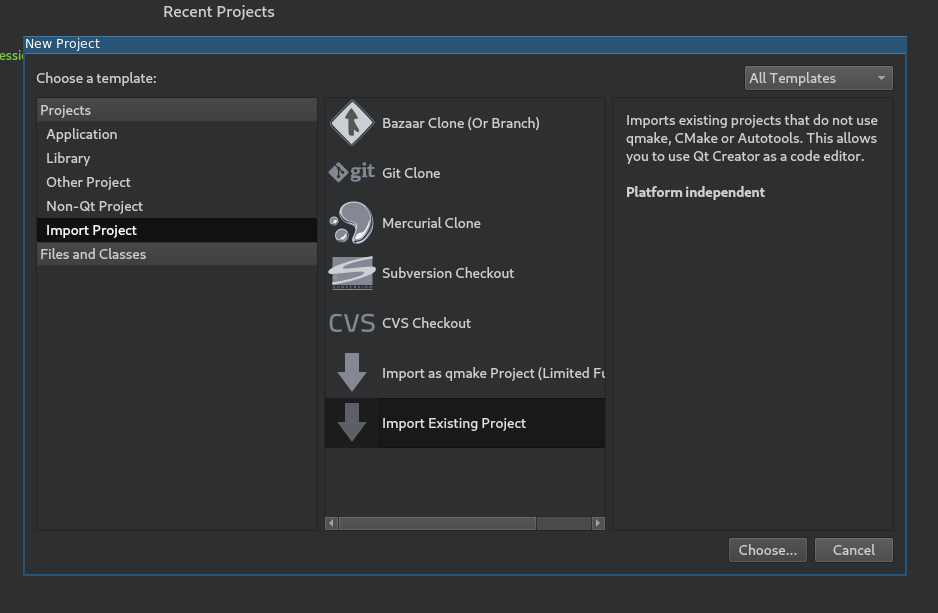
在Qt Creator的主屏幕上选择 New Project > Import Project > Import Existing Project .
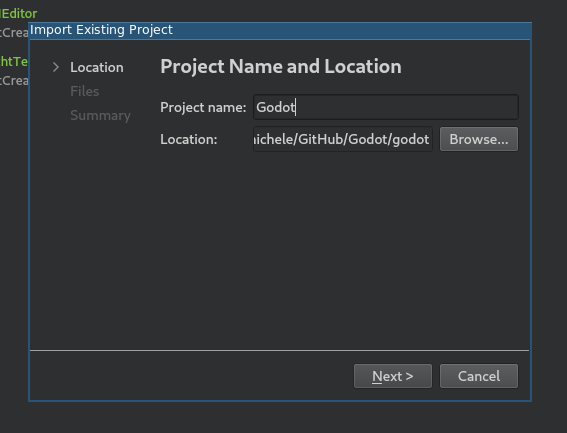
在 Location 项下选择 Godot 源代码目录的绝对路径.
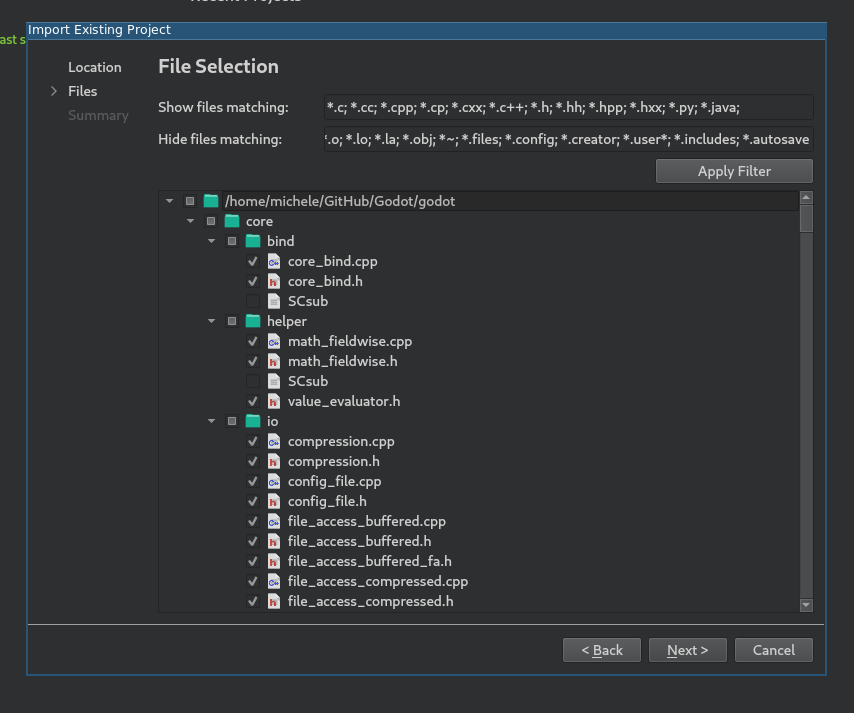
接下来, 你可以选择哪些文件夹和文件将对项目可见. 虽然C/C++文件是自动添加的, 但其他扩展名也可能是有用的.
*.glsl用于着色器文件,*.py用于构建系统文件,*.java用于Android平台开发,*.mm用于MacOS平台开发.
备注
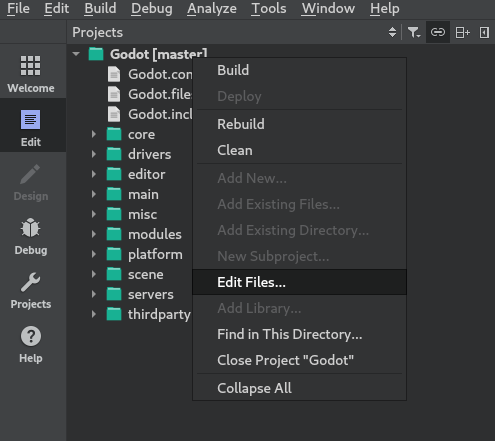
你可以在之后通过在你的项目上右键选择 编辑文件.. 选项来更改此配置.
完成导入.
打开
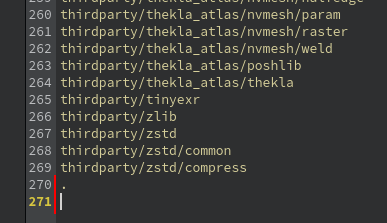
project_name.includes文件, 并在其中添加包含.的行, 以正确启用代码自动完成功能.
从左侧菜单选择 Projects , 并打开 Build 标签.
删除预定义的
make构建步骤.
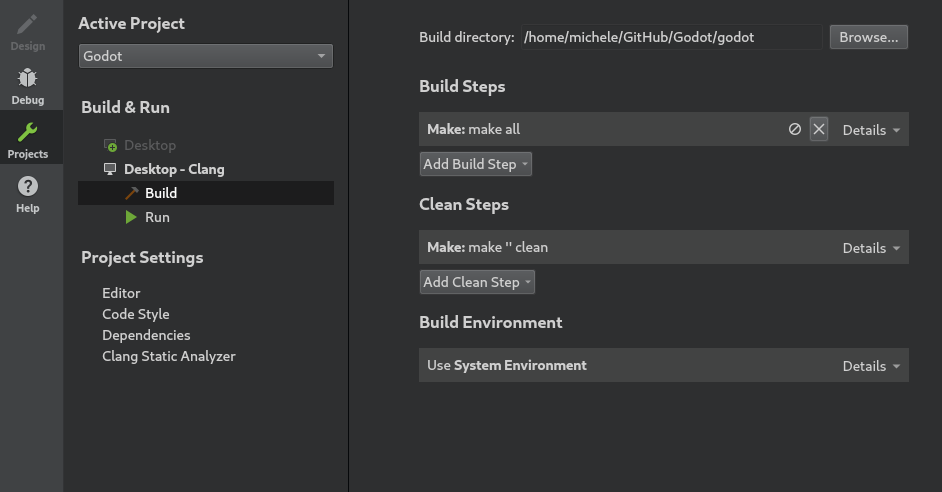
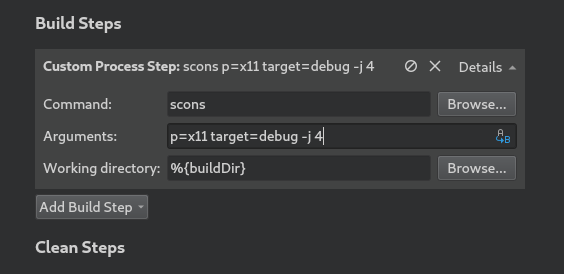
单击 Add Build Step > Custom Process Step , 以添加具有以下设置的新构建步骤:
命令
scons
参数
参见 构建系统介绍, 获取完整的参数列表.
备注
如果编译失败, Could not start process "scons" , 这可能意味着 scons 不在你的 PATH 环境变量中. 在这种情况下, 你必须指定SCons可执行文件的完整路径.
调试项目
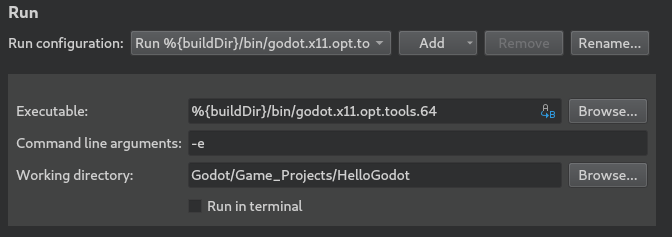
从左侧菜单选择 项目 , 并打开 运行 选项卡.
Under Executable specify the path to your executable located in the
<Godot root directory>/binfolder. The name depends on your build configuration, e.g.godot.linuxbsd.editor.dev.x86_64for 64-bit LinuxBSD platform withplatform=editoranddev_build=yes. You can use%{buildDir}to reference the project root, e.g:%{buildDir}/bin/godot.linuxbsd.editor.dev.x86_64.如果你想运行一个特定的项目, 在 工作目录 下指定其根文件夹.
如果你想运行编辑器, 请在 命令行参数 栏中添加
-e.
要了解更多的命令行参数, 请参考 命令行教程 .
代码风格配置
Developers must follow the project's code style and the IDE should help them follow it. By default, Qt Creator uses spaces for indentation which doesn't match the Godot code style guidelines. You can change this behavior by changing the Code Style in Tools > Options > C++.
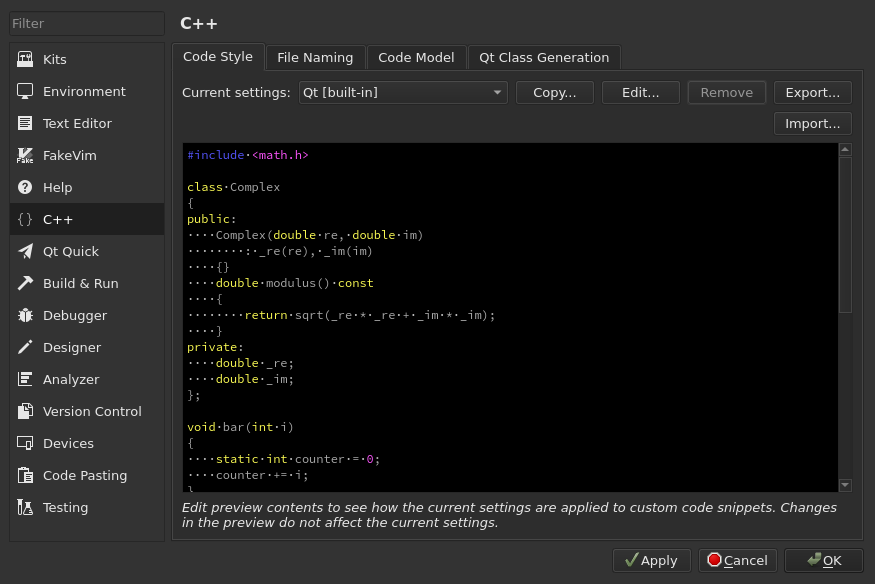
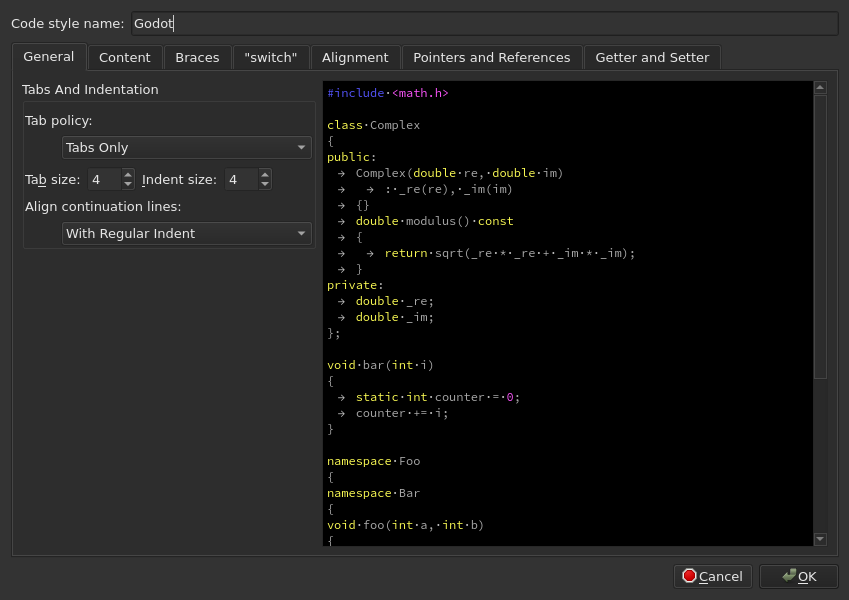
点击 Edit 来改变当前的设置, 然后点击 Copy Built-in Code Style 按钮来设置一个新的代码风格. 为它设置一个名称(如Godot), 并将Tab策略改为 Tabs Only .
如果遇到问题, 也可在 Godot 社区论坛 中寻求帮助.