带弹簧臂的第三人称相机
前言
3D 游戏经常会用到第三人称相机,相机会跟随玩家角色、车辆等物体,还能够围绕目标旋转。
在 Godot 中将 Camera3D 设置为某个节点的子节点就可以实现这种相机。不过如果直接这样做、不进行额外处理,你就会发现相机会穿过几何体,导致场景隐藏。
这就需要用到弹簧臂节点 SpringArm3D 了。
弹簧臂是什么?
弹簧臂有两个主要组件,都会影响其行为。
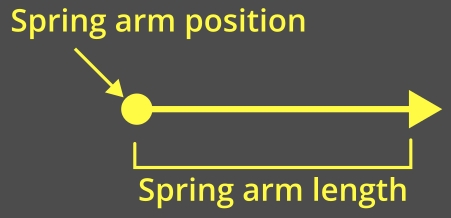
弹簧臂的“长度”是指从弹簧臂的全局位置开始检测碰撞的距离:
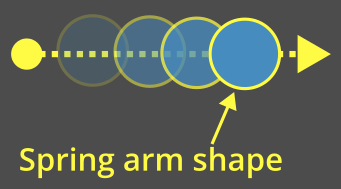
弹簧臂的“形状”则是用于碰撞检测的形状。弹簧臂会用这个形状从它的原点一路“扫”到长度的位置。
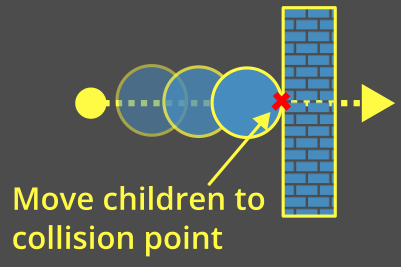
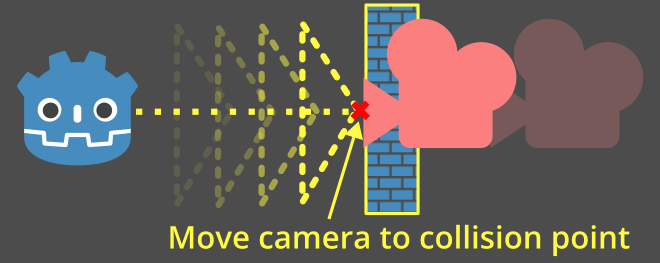
弹簧臂会尝试将所有子节点保持在其长度的末端。当形状与其他物体发生碰撞时,就会将子节点放置在碰撞点处或其附近:
带相机的弹簧臂
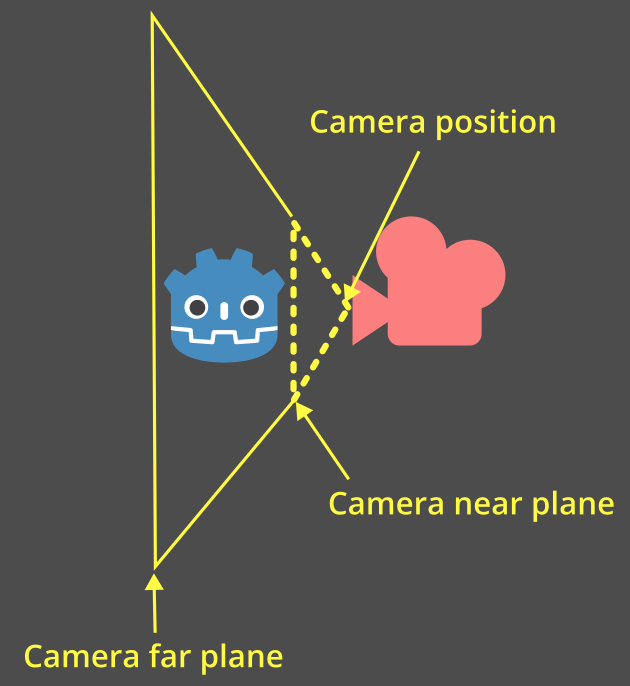
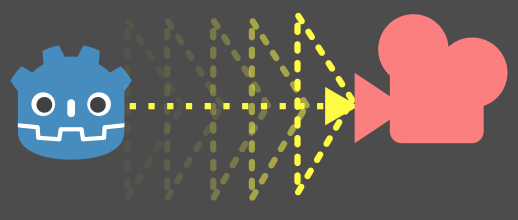
When a camera is placed as a child of a spring arm, a pyramid representing the camera will be used as the shape.
This pyramid represents the near plane of the camera:
备注
如果给弹簧臂指定了特定形状,那么该形状将**始终**被使用。
The camera's shape is only used if the camera is a direct child of the spring arm.
如果没有提供形状并且摄像机不是直接子节点,弹簧臂将回退使用射线检测,这对于摄像机碰撞来说不准确,因此不推荐使用。
每个物理处理帧中,弹簧臂都会执行一次运动投射,以检查是否有物体发生碰撞:
当形状碰到物体时,摄像机将被放置在碰撞点或附近:
设置弹簧臂和相机
让我们在平台跳跃演示中添加弹簧臂和相机吧。
In general, for a third-person camera setup, you will have three nodes as children of the node that you're following:
Node3D(相机的“轴心点”)
SpringArm3D
Camera3D
打开 player/player.tscn 场景。将这些节点设置为玩家节点的子节点,并为它们设置唯一的名称,以便我们可以在脚本中找到它们。请确保删除现有的摄像机节点!
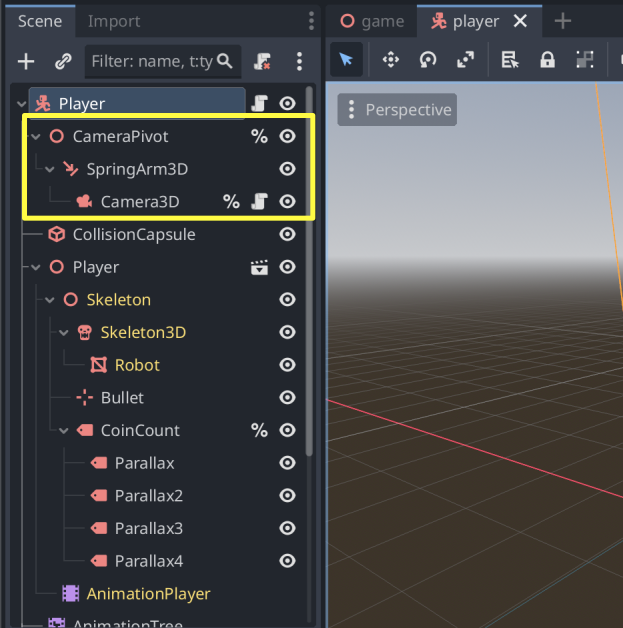
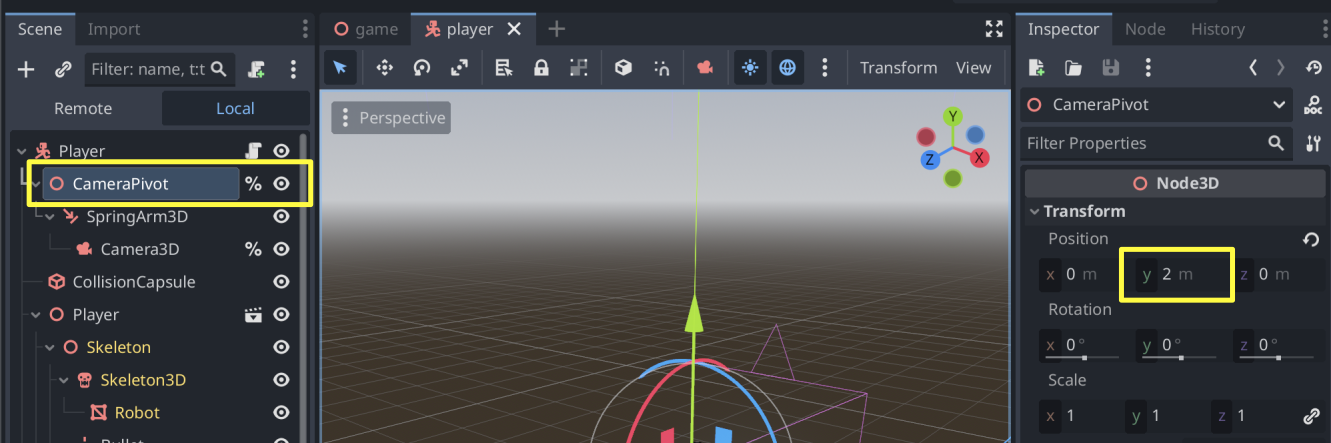
Let's move the pivot point up by 2 on the Y-axis so that it's not on the ground:
Give the spring arm a length of 3 so that it is placed behind the character:
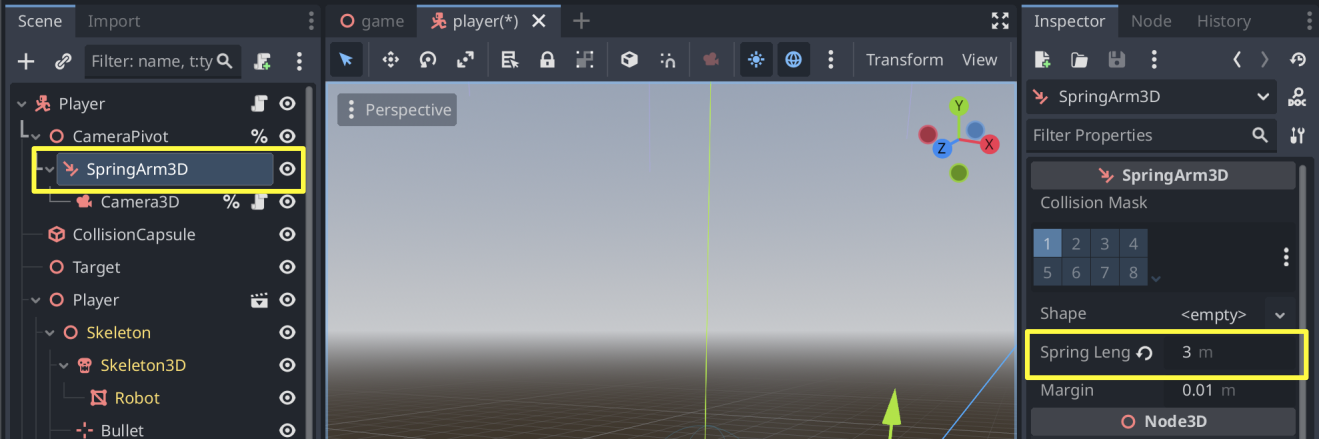
备注
将弹簧臂的 Shape 保持为 <空>。这样就会使用相机的视锥形状。
如果你愿意,也可以尝试其他形状——球体是一个常见的选择,因为它可以沿着边缘平滑滑动。
更新 player/player.gd 的顶部代码,通过其唯一名称获取相机和枢轴点:
# Comment out this existing camera line.
# @onready var _camera := $Target/Camera3D as Camera3D

@onready var _camera := %Camera3D as Camera3D
@onready var _camera_pivot := %CameraPivot as Node3D
添加一个 _unhandled_input 函数来检测相机移动,然后相应地旋转轴心:
@export_range(0.0, 1.0) var mouse_sensitivity = 0.01
@export var tilt_limit = deg_to_rad(75)


func _unhandled_input(event: InputEvent) -> void:
    # Mouselook implemented using `screen_relative` for resolution-independent sensitivity.
    if event is InputEventMouseMotion:
        _camera_pivot.rotation.x -= event.screen_relative.y * mouse_sensitivity
        # Prevent the camera from rotating too far up or down.
        _camera_pivot.rotation.x = clampf(_camera_pivot.rotation.x, -tilt_limit, tilt_limit)
        _camera_pivot.rotation.y += -event.screen_relative.x * mouse_sensitivity
弹簧臂会随轴心旋转,改变相机的位置。运行游戏,你会发现现在移动鼠标移动就可以使相机围绕角色旋转。如果相机向墙壁移动,就会与墙壁发生碰撞。